With the rise of telework and working from home, an increasing number of companies are considering introducing cloud services to improve operational efficiency. The term “cloud-first” is also becoming more common.
However, when introducing the cloud, you may have concerns or questions, such as:
I don’t understand the effects (benefits).
Are the security measures robust?
Can it be customized for our company?
Won’t the cost of migrating from our current system to the cloud be enormous?
Therefore, this time we will explain in detail, from the term “cloud-first” to information about the cloud itself. Please use this as a reference if you are considering introducing the cloud but haven’t been able to take the plunge.
What is Cloud-First?
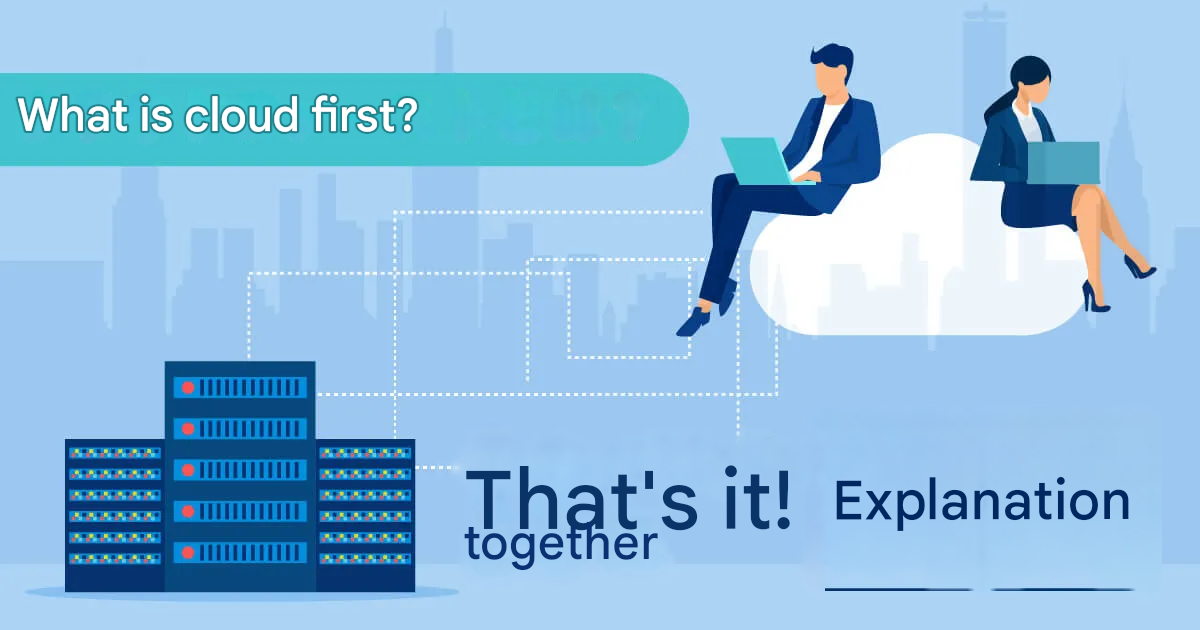
Cloud-first is a way of thinking that prioritizes using cloud services provided by cloud vendors, rather than building your own in-house infrastructure system.
The “Basic Policy on the Use of Cloud Services in Government Information Systems” issued in June 2018 also includes wording related to cloud-first.
What is the Cloud in the First Place?
The cloud is a form of service where you can access systems on the internet and use services as needed, without having to own your own infrastructure environment.
Examples of cloud environments that companies need to build themselves include:
Amazon Web Services (AWS)
Microsoft Azure (Azure)
Google Cloud
4 Benefits of Introducing the Cloud
Government agencies have also issued basic policies based on the cloud-first concept, and it is expected that cloud usage will increase further from now on. Let’s first review the benefits of introducing the cloud.
Low Initial Costs
First, one benefit of introducing the cloud is that initial costs can be kept low. With on-premises (in-house operation) systems, initial costs include purchasing software and construction costs. There is also the risk that after purchase, the system may not suit the company or the company may not be able to utilize it effectively.
In comparison, the cloud offers advantages such as being able to start using a service with no initial cost and switch to a different cloud if it doesn’t fit, or being able to change to a service where the cloud vendor has a broader scope of responsibility, allowing the company to focus on development.
Easy Introduction
When using existing cloud services as they are, similar to the low initial costs, there is no hassle of purchasing hardware or developing systems, making introduction easy. Contracts are made, and services are used based on content that matches the company’s operations.
Accessible from Anywhere with an Internet Connection
With cloud usage, services can be used from anywhere as long as there is an internet connection. Being accessible not only from PCs but also from multiple devices like tablets and smartphones can be a benefit for some companies.
Since data can be managed on the network, information sharing is also easy. Recently, with the increase in telework and working from home, many companies have decided to introduce the cloud as a result.
No Hassle of Maintenance and Management
Compared to operating a system in-house, the cloud has the advantage of not requiring the hassle of maintenance and management. Services can be used including regular updates and maintenance, and many of these tasks are automated, allowing the company to concentrate on its own business.
What About Cloud Security?
When introducing the cloud, data is managed over the internet. Many companies might feel anxious about security, such as the risk of unauthorized access by third parties.
Below, we explain points for using the cloud safely.
Organize Your Company’s Data Importance and Clarify Measures for Each
To use the cloud safely, it is important to organize the importance of your company’s data before introduction. Furthermore, as a point when selecting a service, it is necessary to understand the term “division of responsibilities.”
The division of responsibilities is a boundary line that defines which parts of the infrastructure the cloud service provider and the client company are responsible for, from start to end. As the scope of responsibility also applies to security responsibility, it is necessary to check the service details based on the division of responsibilities before use.
Choose services and clouds that match the importance of your data, and clarify the risks and their countermeasures.
Select a Cloud Vendor that Matches Your Company’s Security Policy
Along with organizing the importance of your company’s data, reconfirm your company’s security policy and choose a cloud that matches it.
For example, confirmation is necessary as there are cases where industry guidelines or related laws and regulations might be violated. If there is no cloud vendor that matches your company’s security policy, you need to consider options such as:
Continuing with on-premises (in-house operation)
Multi-cloud (combining multiple cloud systems)
Hybrid cloud (using both on-premises and cloud services)
Can the Cloud Be Customized for Your Company?
Next, we will explain cloud customizability for companies considering introducing the cloud.
Customizability Varies Depending on the Type of Cloud
Cloud customizability differs depending on the type of cloud.
Clouds are broadly classified into three types. Their characteristics are summarized below.
SaaS (Software)
SaaS stands for “Software as a Service,” and it is premised on using the application functions provided by the service provider as they are.
It is characterized by low customizability, as it does not require complicated settings or design.
PaaS (Platform)
PaaS stands for “Platform as a Service,” where the provider offers development tools and OS functions needed to use applications.
Unlike SaaS, which uses a completed service, PaaS requires system construction according to the company’s operations, so a certain level of specialized knowledge is necessary.
However, its customizability is higher than that of SaaS.
IaaS (Infrastructure)
IaaS stands for “Infrastructure as a Service,” and it is the cloud with the highest customizability. As it is limited to providing infrastructure functions like servers and networks, the company can customize and apply elements such as the OS and memory capacity to suit its needs.
Due to its high degree of freedom, it may be necessary to have staff with specialized knowledge in-house or outsource to an external party.
Cloud Migration Costs
You might also have questions about how much it costs to migrate to the cloud.
Here, we explain the costs associated with cloud migration.
Migration Costs Can Be High if the Existing System is Complex
The cost of migrating to the cloud varies depending on the complexity and scale of the existing system being used. This is because before migration, it is necessary to analyze the impact and risks of the migration, and system design will be carried out accordingly.
It is Important to Simulate Migration Costs Based on Your Company’s Current System
Grasp the current state (needs) of your company’s system and check if there are services that match it. Then, simulate whether migrating to the cloud would be beneficial.
Summary: The Cloud Can Optimize Operations Through Proper Introduction
This time, we explained the “cloud” and “cloud-first,” terms that have become common recently. If the cloud can be introduced according to the needs of your company’s operations, it can lead to:
Reduction of costs and effort
Increased efficiency of regular operations
This allows you to optimize your business operations.
Companies considering introducing the cloud should start by organizing the importance of their operational data, reconfirming their security policy, and beginning with simulations.
Follow us on Facebook for updates and exclusive content! Click here: Maga AI