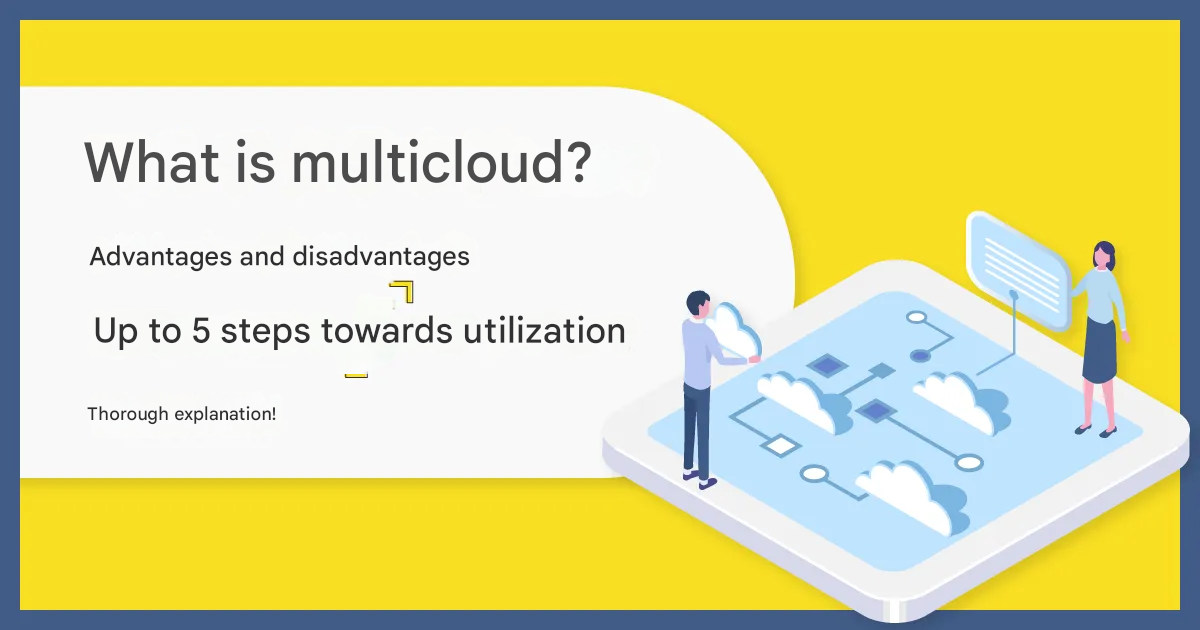
Multi-cloud refers to a method of combining cloud services from multiple different providers, leveraging the strengths of each to build a more optimal operational environment.
Generally, it is sometimes treated as a synonym for hybrid cloud. However, more often, multi-cloud specifically refers to an operational method that aims for optimization by using multiple public clouds provided by different vendors together.
Additionally, unlike private cloud, it utilizes the cloud environments and service areas provided by vendors without integrating them. This allows for designing an optimal cloud environment for various purposes, such as building backup and recovery systems, or using different services for specific business processes or phases.
Difference Between Multi-cloud and Hybrid Cloud
A term often confused with multi-cloud is “hybrid cloud.” Hybrid cloud refers to a cloud operational model that combines different types of services, such as private cloud and public cloud.
The clear difference between multi-cloud and hybrid cloud lies in whether cloud environments from multiple vendors are used together or mixed together according to business requirements and objectives.
In multi-cloud, since the same type of service from multiple vendors is used concurrently, they can be used simultaneously depending on the business process or phase, and rapid recovery is possible even in the event of a major failure. This enables operation in an optimal environment without disrupting business.
On the other hand, hybrid cloud primarily mixes private and public clouds, interconnecting them to build a system. This allows for ensuring data management security and risk distribution while keeping costs down.
Thus, multi-cloud and hybrid cloud are distinguished as different concepts. It is important to correctly understand their respective characteristics and differences.
If you are interested in hybrid cloud, the following article is recommended:
What is Hybrid Cloud? A thorough explanation of its advantages, disadvantages, and key points for construction!
Advantages of Multi-cloud
What benefits can companies enjoy by introducing multi-cloud? Here are some representative ones.
Freedom to Customize
When selecting a cloud environment, companies need to make comprehensive decisions based on business requirements, considering each vendor’s unique features, pricing, and adoption of advanced technologies like IoT, AI, and blockchain.
With multi-cloud, you can combine the advantages of multiple vendors—their environments, functions, and service characteristics—to build a custom solution unique to your company. This makes it possible to customize and build a unique cloud environment tailored to specific purposes.
Avoiding Vendor Lock-in
Vendor lock-in is a problem where a company becomes overly dependent on a specific vendor’s functions or technologies, losing system flexibility. Examples include unexpected service termination or price revisions. High dependency on a vendor carries the risk of proportionally high impact on the business.
However, multi-cloud, which uses services from multiple different providers concurrently, can reduce dependency on any single vendor, thus avoiding vendor lock-in and leading to more stable business continuity.
Risk Distribution
With multi-cloud, using multiple vendors facilitates risk distribution through system redundancy, backups, and recovery. Even with highly reliable cloud models from major providers, system downtime or inadequate backup/recovery setups during failures are not guaranteed.
However, because multi-cloud uses the same type of service from multiple vendors, it not only distributes risk but also contributes to ensuring business availability.
Disadvantages of Multi-cloud
Multi-cloud also has disadvantages, not just advantages. It’s important to understand these beforehand to avoid panic after implementation.
High Operational Load
Since multi-cloud involves using multiple services simultaneously, the variety of cloud management consoles can complicate operations and potentially increase the operational burden.
While it excels in risk distribution, BCP measures, and redundancy, when operating a diversified multi-cloud environment, it is crucial to establish a system that centralizes management and operation across the multiple cloud environments.
High Operational Costs
While multi-cloud offers many functions, receiving services from multiple vendors can sometimes lead to higher operational costs.
Also, due to the nature of multi-cloud using multiple environments, you might miss out on typical volume discounts, potentially increasing initial costs as well. This highlights the disadvantage of consistently higher costs.
Potential Increase in Security Risks
Because multi-cloud uses multiple cloud environments, the increase in security standards and targets can make vulnerabilities in security strength a risk.
While effective for risk distribution, managing multi-cloud becomes proportionally more complex as more environments are used concurrently. Naturally, setting common IDs and passwords for convenience would increase the risk. To enhance security and system convenience simultaneously, it is important to establish a management framework different from traditional security measures.
What You Can Achieve with Multi-cloud
What specific things can be achieved by introducing multi-cloud? Let’s look at some concrete examples.
Use Different Cloud Environments for Different Services
By utilizing multi-cloud, you can use different cloud environments for different services. This is effective, for example, when adopting different OSes for internal systems versus external services, or when using different versions of software.
Use Different Cloud Services for Different Functions
Multi-cloud allows you to use multiple clouds not only per service but also per function. Recently, to leverage new technologies like AI and IoT, there are situations where you need to use cloud services that support them.
In such scenarios, multi-cloud enables, for example, using Company A’s cloud service, which excels in voice recognition, together with Company B’s cloud service, which has a superior chatbot, to further improve your company’s productivity.
Enable Global Expansion
For companies considering global expansion, complying with local regulations (e.g., data must be stored in domestic data centers) can be a major issue. However, by utilizing multi-cloud, you can separate cloud environments for domestic services and those for overseas, allowing for flexible compliance with regulations.
Distribute Risks Like Failures
If a cloud server goes down due to a failure or trouble, there’s a risk your business could stall. However, since multi-cloud does not depend on a specific vendor, you can flexibly distribute risks and handle recovery, enabling more stable system operation.
5 Steps for Utilizing Multi-cloud
When utilizing multi-cloud, proceed sequentially through the following five steps:
Visualize Issues
Examine the Need for Multi-cloud
Compare Multiple Cloud Services
Decide on Operational Management Method
Formulate a Migration Plan
Let’s look at each step in order.
1. Visualize Your Company’s Issues
First, it is crucial to visualize your company’s current issues. Only by correctly grasping the challenges and problems can you consider the optimal multi-cloud configuration for your company. Therefore, examine the situation from multiple angles and carefully. It is no exaggeration to say that this initial step determines the success or failure of multi-cloud adoption.
2. Examine the Need for Multi-cloud
Once issues are visualized, next consider whether multi-cloud is necessary. Depending on the nature of the issue, methods other than multi-cloud might be more effective. Therefore, it is important to carefully consider whether multi-cloud is truly effective for solving the problem.
3. Compare Multiple Cloud Services
Once you decide to adopt multi-cloud, compare and consider multiple cloud services. Even when simply saying “cloud services,” their types are diverse, and each service has its own characteristics and strengths. So, check various services and select the one most suitable for your company.
4. Decide on Operational Management Method
After deciding which cloud services to adopt, determine the specific operational management methods. Because multi-cloud involves running multiple clouds in parallel, the operational and management burden tends to be higher. Clearly envision the actual post-implementation operation and consider methods that minimize effort.
5. Formulate a Migration Plan
Once the details of operational management are finalized, finally formulate a migration plan. Decide on the data to be migrated and the migration method when moving from the current environment to the multi-cloud environment. The optimal migration method varies depending on the situation, so it’s important to discuss ideas with multiple people and consider it from various perspectives.

If You’re Going to Use the Cloud, Google Cloud is Recommended
As mentioned earlier, when introducing multi-cloud, it is important to compare and consider multiple cloud services. While various cloud services exist in the market, if you’re going to adopt one, Google Cloud is recommended.
Below, we explain the overview of Google Cloud and the reasons for the recommendation.
What is Google Cloud?
Google Cloud is a public cloud service provided by Google. Other services in the same category include Microsoft’s “Azure” and Amazon’s “AWS.”
With Google Cloud, you can utilize Google’s secure and highly stable IT platform environment within your own company. It enables seamless realization of “IT strategies that go beyond just using the cloud,” such as big data integration with Google Workspace.
Furthermore, excellent data analysis tools like “BigQuery” are available, enabling not just a few experts but the entire organization to leverage data for management strategy formulation and business improvement. Additionally, by utilizing Google Cloud’s diverse range of services, highly accurate data analysis can be achieved.
User-Friendly Interface
A major characteristic of Google Cloud is its user-friendly interface. Many operations can be completed with button clicks or drag-and-drop, making it easy for even those without specialized knowledge to use.
Fast Data Processing Speed
Google Cloud is based on the same infrastructure as YouTube, which streams 60 billion hours of video monthly, and Gmail, used by over a billion users. Therefore, it boasts fast and stable performance, enabling smooth real-time processing even for large amounts of data.
Flexible Scaling
As Google Cloud is a 100% cloud-based service, it can scale flexibly according to the situation. Even if data volume increases in the future, resources can be easily added, allowing for secure service operation.
Additionally, Google Cloud supports auto-scaling, automatically increasing or decreasing resources based on your company’s situation. This eliminates the need for administrators to change settings or perform complex resource adjustments each time. Since Google Cloud handles these tedious tasks automatically, your company can focus on core business activities, directly leading to improved efficiency and productivity.
High Security Level
Google Cloud features a high level of security with third-party certifications, undergoing various annual audits such as:
SSAE16 / ISAE 3402 Type II: SOC 2/SOC 3
ISO 27001, FISMA Moderate
PCI DSS v3.0
This allows you to manage and operate your cloud environment under secure conditions, reducing various risks like information leaks and enabling safe work progression.
Summary
This article introduced everything from the basics of what multi-cloud is, to its advantages and disadvantages, and five steps for its utilization, covering all perspectives at once.
In today’s rapidly changing world, multi-cloud is a very effective option. By introducing multi-cloud, companies can enjoy various benefits such as flexible customization and avoidance of vendor lock-in.
While various cloud services exist in the market, if you’re going to adopt one, Google Cloud is recommended. It offers numerous advantages for companies, including a user-friendly interface, fast data processing, and a high level of security.
Follow us on Facebook for updates and exclusive content! Click here: Maga AI